









































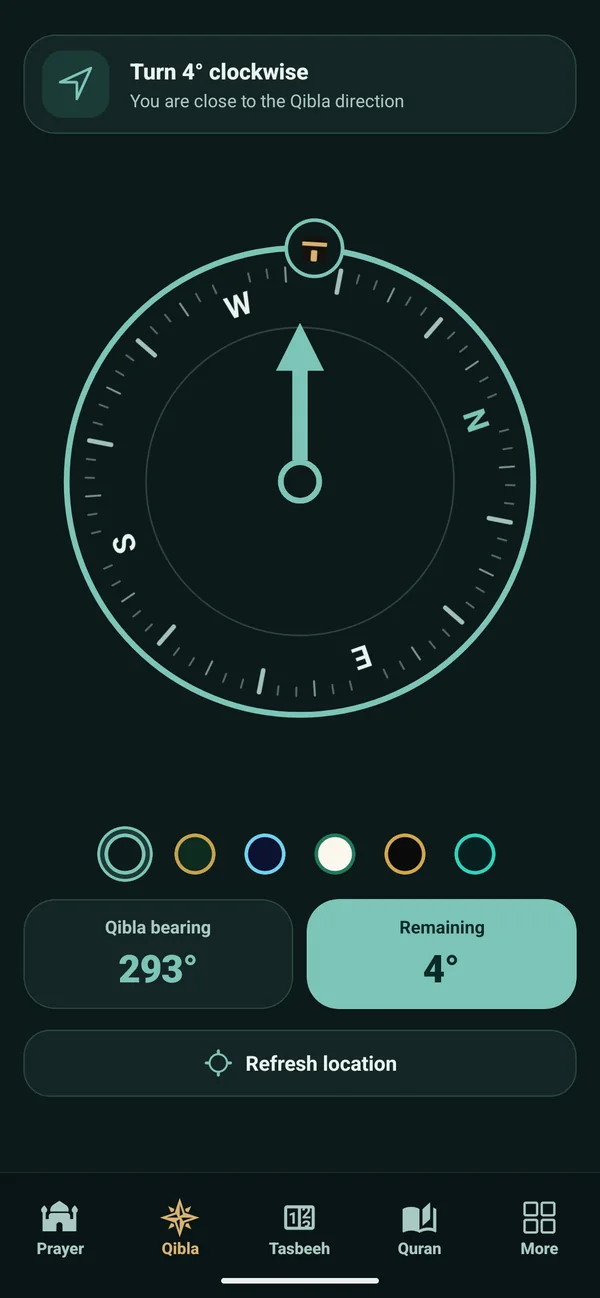
Hold your phone flat and turn until the Kaaba marker reaches the top of the dial. The compass shows the Qibla bearing, which way your phone points and how many degrees remain, and tells you which way to turn.
When you face the Qibla, the compass says so and gives a soft sound and a short vibration, each of which you can switch off. Choose the dial colours you like best.
O que você recebe
- Live compass with the Qibla bearing, your heading and the degrees remaining
- A Kaaba marker on the dial and “turn clockwise / counter-clockwise” guidance
- A sound and a vibration when you are aligned, each one switchable
- Five colour styles: gold, emerald, cream, onyx and teal
- A compass accuracy indicator with calibration hints
- The direction is calculated on your phone
For the best accuracy, keep the phone away from magnets and metal, and move it in a figure 8 when it asks you to calibrate.
Perguntas sobre este recurso
Why does the compass ask me to calibrate?
Phone compasses drift near metal and magnets. Move the phone in a figure 8 for a few seconds and the accuracy indicator improves.
Does it need internet?
No. Once the app knows your location, the Qibla direction is calculated on the phone.
Does it show the distance to the Kaaba or a map?
Not at the moment. It shows the direction only, as a live compass.
Mais do Muslim Flow
Horários de oração e adhan
Exact times for where you are, a live countdown, the adhan at the minute and reminders before each prayer.
Alcorão
114 surahs with a translation in your language, 15 reciters, offline audio and playback with the screen off.
Adhkar e Dua
Morning, evening, after prayer, before sleep and more, plus 264 duas from Hisnul Muslim to read, save and share.
Tasbih digital
A big tap counter with sound, vibration, ready-made dhikr with Sunnah counts and counters of your own.